0% intro APR for 15 months from account openi… Chase Freedom Flex ® Credit Card Calculators How we make money
VOATLAS
How to Buy a Home Office UPS Setup

How to · Tech

How to Buy a Home Office UPS Setup

Protect your work setup from sudden outages without paying interest by timing the purchase right.

Typical cost $320 before anything else
Across the 0% window $17.78/mo 18 months, no interest

How we got that: $320 spread evenly across the 18-month introductory window on the Citi Simplicity® Credit Card. Checked · at the bank Carry a balance past the window and the standard APR applies to what is left.

An uninterruptible power supply keeps your router, monitors, and workstation running through sudden outages and brownouts. A decent unit should easily last three to five years before you need to swap the internal battery, so you want to buy the right capacity once instead of replacing an undersized box in six months.

Manufacturers refresh these units every couple of years, but the core battery tech rarely changes. Buying last year's model during back-to-school season gets you the exact same runtime for less cash out of pocket.

Keep in mind that 18 months is a hard deadline, not free money. If you leave any balance on the card after the intro window ends, Citi will charge their standard variable interest rate on the remaining amount, which wipes out the savings.

The steps

  1. 01

    Calculate your wattage

    Add up the power draw of your computer, monitor, and modem. Aim for a unit rated at least 25% higher than your peak draw so you get enough runtime to save work and shut down cleanly. A 1500VA model usually covers a solid multi-monitor workspace.

  2. 02

    Time the seasonal sale

    Retailers discount computer accessories and office gear heavily between July and late August. Look for previous-generation pure sine wave models from reputable brands, which often drop significantly to clear shelf space. There is no need to pay a premium for brand-new chassis designs.

  3. 03

    Spread out the cost

    If you use the Citi Simplicity® Credit Card, you get 0% for 18 months on purchases and balance transfers from date of account opening. Splitting a $320 purchase evenly over that 18-month window comes out to $17.78 per month with zero interest.

  4. 04

    Automate your monthly payment

    Schedule an automatic transfer of $17.78 right after the charge hits. Setting up autopay clears the balance completely before the promotional rate runs out. That way, you avoid extra fees without needing to track calendar dates manually.

  5. 05

    Separate critical gear on day one

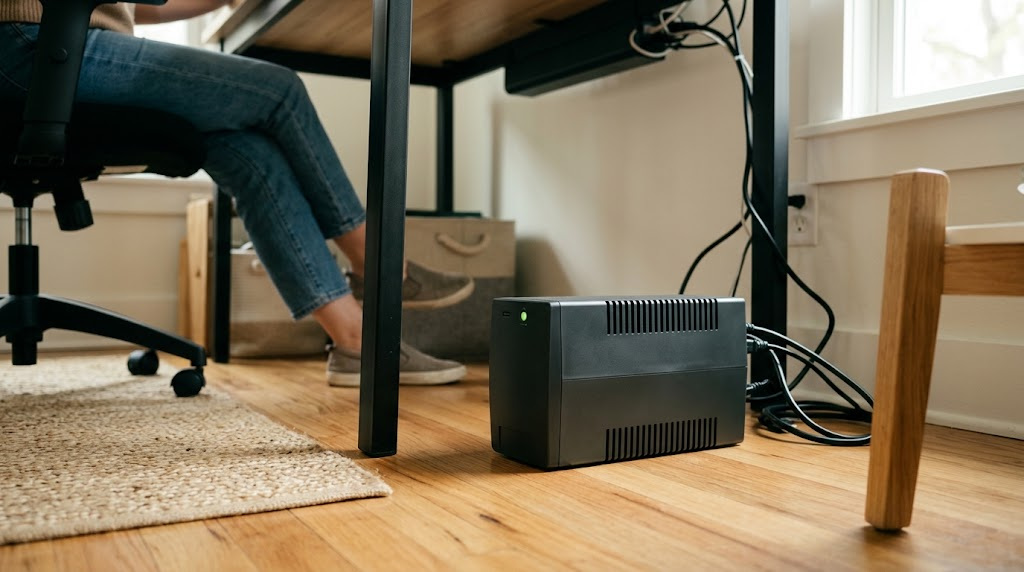
    When the box arrives, plug only your essentials into the battery-backed outlets. Keep your non-essential gear like desk lamps on the surge-only ports. This ensures your computer and network gear get every minute of available power when the lights go out.

  6. 06

    Check the card terms before you commit

    Every figure we publish for the Citi Simplicity® Credit Card carries the date a person verified it against Citi and a link to where they checked. Intro windows and APRs change without notice, so confirm the current terms before applying.

    See Citi Simplicity® Credit Card terms →

Common questions

How long will a $320 UPS keep my home office running?

For an average desktop PC, monitor, and Wi-Fi router, a unit in this price tier typically provides 15 to 45 minutes of backup power. That gives you plenty of time to finish urgent tasks, save files, and shut down properly.

Do I need a pure sine wave UPS?

Yes, if your computer uses a modern power supply with active power factor correction. Pure sine wave units feed clean electrical current that prevents random shutdowns or hardware strain during the switch from wall power to battery.

When do UPS batteries need to be replaced?

Most internal sealed lead-acid batteries last between three and five years depending on room temperature and use. When the unit starts beeping to warn you of a degraded battery, you can replace just the internal cartridge for a fraction of the cost of a new system.

Can I plug my laser printer into a UPS?

No, keep laser printers on standard surge protectors instead. Laser printers draw massive power spikes when warming up, which can overload the battery side of a consumer UPS immediately.