0% for 15 billing cycles on purchases, and to… Bank of America® Customized Cash Rewards Credit Card for Students Calculators How we make money
VOATLAS
How to Budget for Smart Locks on Every Door

How to · Home

How to Budget for Smart Locks on Every Door

Upgrade your home security with keyless deadbolts for about $500 without paying interest.

Typical cost $500 before anything else
Across the 0% window $27.78/mo 18 months, no interest

How we got that: $500 spread evenly across the 18-month introductory window on the Citi Simplicity® Credit Card. Checked · at the bank Carry a balance past the window and the standard APR applies to what is left.

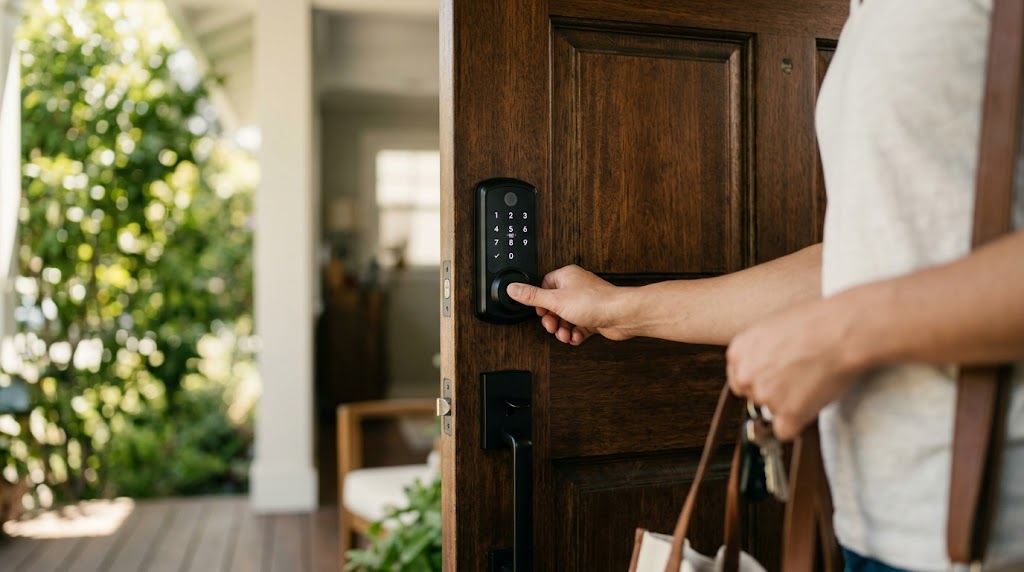
No more digging for keys in the rain or wondering if the back door is locked while you are in bed. Swapping three or four exterior deadbolts for smart locks takes an afternoon with a screwdriver, and you can control your entire perimeter from your phone. Late November through the December holiday tech sales is prime time to buy multipacks, which usually run around $500 total.

If you prefer not to install them yourself, get at least two or three quotes from local handymen or locksmiths before buying hardware. Labor can swing wildly depending on door alignment, but spreading the hardware purchase itself makes the upfront bite practically disappear.

That 18-month window is a strict deadline, not free money. If you carry a balance past the 18 months from account opening, regular interest kicks in on whatever is left, so stick to the $27.78 monthly plan and pay it off on schedule.

The steps

  1. 01

    Inspect your door frames

    Look at each exterior entryway and test the current locks. Smart deadbolts need smooth alignment to throw the bolt automatically, so adjust any hinges or strike plates if a door currently requires a push or pull to lock.

  2. 02

    Snag bundles during holiday sales

    Target bundled sets during major holiday tech sales to keep total hardware costs right around $500. Buying multi-packs for front, back, and side doors is significantly cheaper than buying individual units at retail price.

  3. 03

    Compare installation quotes

    If you are not handling the screwdriver work yourself, call two or three local tradespeople for flat labor rates. Ask upfront if their quote covers minor adjustments to door jambs so you avoid surprise fees on installation day.

  4. 04

    Finance the purchase over 18 months

    Charge the $500 gear to the Citi Simplicity® Credit Card. The card features 0% for 18 months on purchases and balance transfers from date of account opening. Pay $27.78 per month to clear the balance smoothly before that intro window closes.

  5. 05

    Configure codes and security settings

    Pair each lock to your phone and establish distinct PINs for family members and service workers. Turn on auto-locking features and schedule notifications so you always know when entryways open and shut.

  6. 06

    Check the card terms before you commit

    Every figure we publish for the Citi Simplicity® Credit Card carries the date a person verified it against Citi and a link to where they checked. Intro windows and APRs change without notice, so confirm the current terms before applying.

    See Citi Simplicity® Credit Card terms →

Common questions

Can I install smart locks on older doors?

Yes, provided the hole cutouts follow modern standard deadbolt sizing. If an older door sticks or rubs against the frame, you must fix the alignment first so the motor can turn freely.

What happens when the lock batteries die?

Smart deadbolts send battery alerts weeks in advance to prevent lockouts. Most units still retain physical keyways or feature external terminals where a standard 9V battery can temporarily restore power.

Do I need a pro or can I DIY this?

Most homeowners can install a unit in under 30 minutes with a single Phillips screwdriver. You only need a pro if your doors require new boreholes or extensive frame chiseling.

Should I choose Wi-Fi or a hub-based lock?

Wi-Fi deadbolts connect straight to your home network without extra hardware, which keeps setup easy. Hub-based systems using Z-Wave or Zigbee extend battery life further, but they require a compatible smart home bridge.