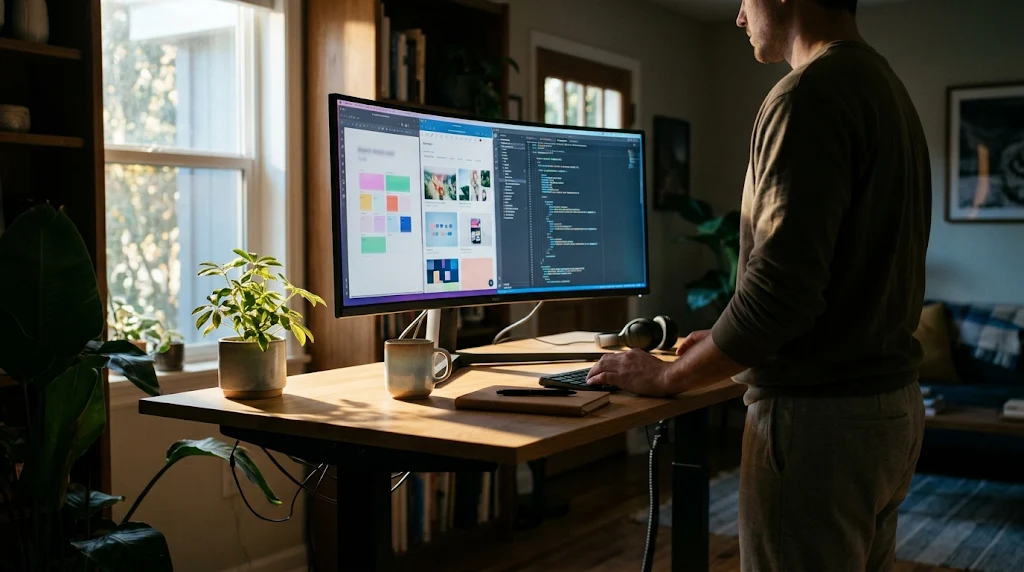
Get the screen real estate you need for work and gaming without the upfront $1200 sting.
VoAtlas editorial
Updated
· 3 min read
Typical cost$1,200before anything else
Across the 0% window$80.00/mo15 months, no interest
How we got that:
$1,200 spread evenly across the
15-month introductory window on the Discover it® Cash Back.
Checked · at the bank Carry a balance past the window and the standard APR applies to what is left.
A 49-inch ultrawide replaces two smaller monitors and should last you five to seven years. It is a massive upgrade for spreadsheets and immersive gaming. You want to buy a quality panel once rather than upgrading a cheap one in two years.
Retailers usually clear out last year's inventory during summer tech sales or late fall events. The older versions often have the same resolution and curve as the new ones but cost hundreds less. Last year's model is usually the better value for your desk.
The 0% intro APR for 15 months on purchases and balance transfers is a hard deadline. If you still have a balance after those 15 months, the standard interest rate will apply to whatever is left. Pay it off on time to avoid the extra cost.
The steps
01
Track the price cycles
New models usually drop in the spring. This makes July and November the best times to find a deal. Set a price alert for last year's flagship model to save around 20%.
02
Manage the cost
Use the Discover it® Cash Back (Discover) to handle the payment. It gives you a 0% intro APR for 15 months on purchases and balance transfers. If the monitor is $1200, you can pay $80 a month to finish it off before the window closes.
03
Measure your desk
These screens are heavy and nearly four feet wide. Most require a deep desk or a heavy-duty VESA mount. Do not put a $1200 screen on a wobbly surface.
04
Choose your panel type
OLED is great for gaming but can have issues with static work windows over time. QLED is brighter and better for productivity. Pick the one that fits your 9-to-5 life better.
05
Check the return policy
A single dead pixel on a screen this size is incredibly distracting. Buy from a place with a 30-day return window. Test the panel for flaws the day it arrives so you can swap it if needed.
06
Check the card terms before you commit
Every figure we publish for the Discover it® Cash Back carries the date a person verified it against Discover and a link to where they checked. Intro windows and APRs change without notice, so confirm the current terms before applying.
It takes up about four feet of horizontal space. If you currently use two 27-inch screens, this will feel natural and much cleaner.
What is 0% APR?
It means the bank does not charge you interest for a specific window of time. It is a way to spread out a big purchase without it costing more, provided you pay it off before the period ends.
Should I wait for the newest model?
Usually no. Yearly updates for monitors are incremental. Last year's top-tier model during a sale is almost always the better financial move.
Will my laptop run this screen?
Pushing this many pixels is demanding. Check if your computer has a DisplayPort or HDMI 2.1 port to ensure you get the full resolution and smooth movement.