0% intro APR for 6 months on purchases Discover it Student Chrome Calculators How we make money
VOATLAS
How to Pay for a Custom Gaming PC

How to · Tech

How to Pay for a Custom Gaming PC

Build a machine that lasts years without draining your savings by timing the market and spreading the cost.

Typical cost $2,400 before anything else
Across the 0% window $133.33/mo 18 months, no interest

How we got that: $2,400 spread evenly across the 18-month introductory window on the Citi Simplicity® Credit Card. Checked · at the bank Carry a balance past the window and the standard APR applies to what is left.

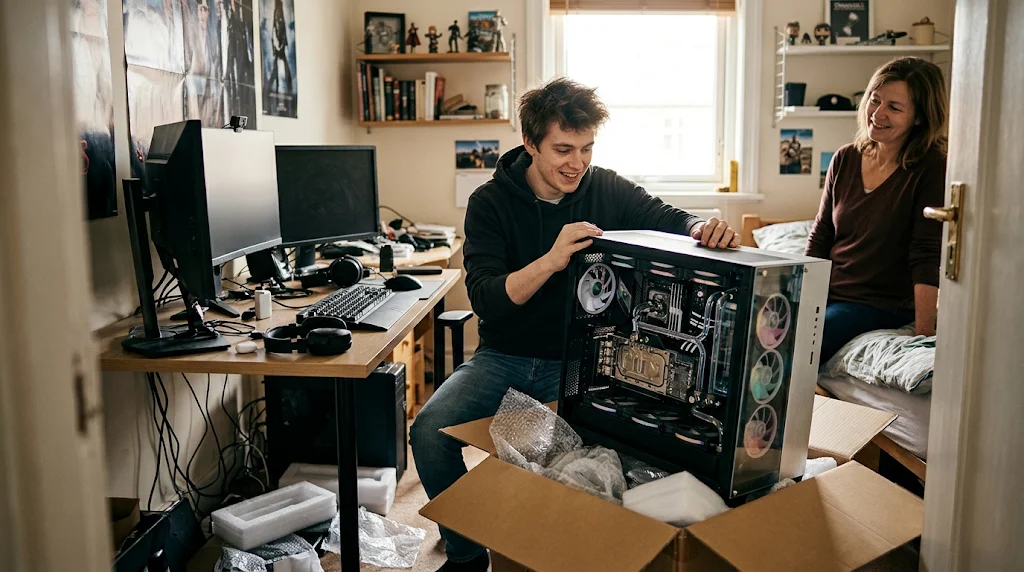
A high-end PC with liquid cooling is an investment. You want a rig that handles current games for five years or more so you are not building a new one every season.

Wait for the latest chip releases to drop before you buy. When new processors hit the shelves, last year's top-tier models often drop in price, giving you more power for your budget.

That 18-month window is a deadline, not free money. If you have a balance left when the time is up, you will start paying interest on whatever remains, which makes the PC much more expensive than you planned.

The steps

  1. 01

    Set your budget

    Aim for that $2400 mark to get quality components. Check parts lists on forums to see what builders are using right now. Don't overspend on aesthetics if it means cutting corners on the graphics card.

  2. 02

    Time the release

    Watch for the next generation of processors from Intel or AMD. Once they arrive, retailers usually clear out the older stock. That is your window to get premium parts at a discount.

  3. 03

    Manage the payments

    You can use the Citi Simplicity® Credit Card, which offers 0% for 18 months on purchases and balance transfers from date of account opening. By dividing your $2400 total by 18, you pay $133.33 per month to clear the balance before the intro window ends.

  4. 04

    Source your parts

    Buy from reliable retailers that offer good return policies. If a part arrives dead, you want a simple exchange process. Keep all your receipts in one digital folder.

  5. 05

    Build and test

    Take your time with the assembly, especially with liquid cooling loops. Run stress tests for 24 hours to make sure your temperatures stay low under a heavy load. If it survives that, you are set.

  6. 06

    Check the card terms before you commit

    Every figure we publish for the Citi Simplicity® Credit Card carries the date a person verified it against Citi and a link to where they checked. Intro windows and APRs change without notice, so confirm the current terms before applying.

    See Citi Simplicity® Credit Card terms →

Common questions

Should I build it myself or buy a pre-built?

Building it yourself usually saves you money and teaches you how to maintain the system. Pre-builts are easier but often use proprietary parts that are hard to upgrade later.

Is liquid cooling worth the extra cost?

It is quieter and keeps temperatures lower, which can help your parts last longer. If you are overclocking or running heavy tasks, it is worth the effort.

What happens if I miss a monthly payment?

Missing a payment can end your 0% offer early. Always set up an auto-pay for at least the minimum amount so you stay in the clear.

How often should I upgrade?

If you build well, you should get four to five years out of a high-end rig. You might swap the graphics card halfway through, but the rest should hold up.