0% intro APR for 15 months on purchases and b… Discover it® Cash Back Calculators How we make money
VOATLAS
How to Pay for a Wireless CarPlay Stereo

How to · Auto

How to Pay for a Wireless CarPlay Stereo

Upgrade your dash for less by timing your purchase and managing your payments over the next year and a half.

Typical cost $800 before anything else
Across the 0% window $44.44/mo 18 months, no interest

How we got that: $800 spread evenly across the 18-month introductory window on the Citi Simplicity® Credit Card. Checked · at the bank Carry a balance past the window and the standard APR applies to what is left.

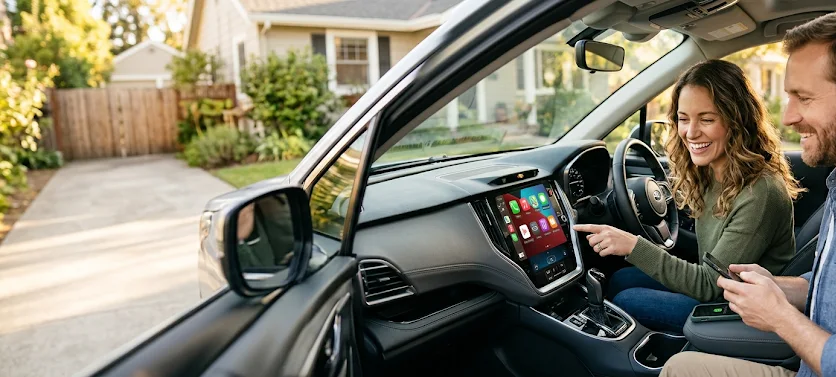
Updating your car stereo makes a decade-old vehicle feel brand new. You get maps, music, and hands-free texts without fumbling for a cable. The gear usually runs about $800, but prices dip during November holiday sales.

You want to time the purchase for those Black Friday sales to get the best hardware for your budget. While you are looking at the tech, think about how you will handle the bill without draining your savings account at once.

Remember that the 0% window is a deadline, not a gift. If you have a remaining balance after the 18 months are up, the bank will start charging interest on what you still owe.

The steps

  1. 01

    Check your dash fit

    Not every stereo fits every car. Use a site like Crutchfield to see exactly which units work with your specific dashboard layout. Buying the wrong size is a headache you do not need.

  2. 02

    Wait for November

    Retailers slash prices on electronics during the holiday season. If you can wait until November, you will likely find better features or a lower price on the exact unit you want.

  3. 03

    Use the intro window

    The Citi Simplicity® Credit Card offers 0% for 18 months on purchases and balance transfers from date of account opening. By splitting your $800 cost over this time, you pay $44.44 per month. This keeps your cash flow steady while you pay off the upgrade.

  4. 04

    Plan for installation

    If you are not comfortable taking your dashboard apart, factor in the cost of a professional installer. Ask for a quote before you buy the hardware so you know the total cost upfront.

  5. 05

    Set an auto-pay

    Set up a monthly payment for at least $45 to ensure you cover the stereo before the 18-month window expires. Automating this prevents you from forgetting a payment and losing your promotional rate.

  6. 06

    Check the card terms before you commit

    Every figure we publish for the Citi Simplicity® Credit Card carries the date a person verified it against Citi and a link to where they checked. Intro windows and APRs change without notice, so confirm the current terms before applying.

    See Citi Simplicity® Credit Card terms →

Common questions

Do I need to pay for professional installation?

It depends on your car. Some newer models require specific wiring harnesses and trim pieces that can be tricky for a beginner to install.

Does wireless CarPlay drain my battery faster?

Yes, it uses more power than a wired connection. It is smart to keep a fast-charging cable in the car for longer road trips.

What happens if I miss a payment?

Missing a payment can end your 0% offer early. Always pay at least the minimum on time to keep your promotional rate active.

Can I install this in an old car?

Most cars made in the last 20 years can take an aftermarket stereo. Check your specific make and model online to confirm it is compatible with a double-DIN unit.